Finding your first Bay Area doctor: networks, appointments, and referrals
Turn an insurance card into a confirmed appointment and a record you can follow up
From setting down your bags to making a place feel like home. A conceptual illustration, not an actual listing.
A route to a first nonemergency visit: identify your exact plan, find primary care accepting new patients, prepare records and language support, and resolve scheduling, referral, or billing obstacles.
Use this process for a first routine, nonemergency visit. Aim for a confirmed appointment with a verified network, location, time, and document list. For a medical emergency, call 911. If unsure where to seek care, use your plan’s medical advice line for professional guidance rather than waiting through routine scheduling.
Step 1: identify your exact plan
Check items off to organize your thoughts. Your selections reset when you leave this page.
Ask which Bay Area network your exact plan uses, whether you must select a PCP or medical group, and what referrals or authorizations apply to specialists, labs, and imaging. Acceptance of an insurer’s brand alone is not enough. Record the date, representative, or reference number and confirm with both the practice and plan.
Step 2: shortlist three practices from your plan directory
Filter by location, age range, and language, then use the practice website for scheduling contacts. Track network status, new-patient acceptance, and earliest offered appointments separately. A PCP is your routine-care contact; a medical group is a provider organization, not a guarantee that every doctor in a hospital building is available through your plan.
A script for calling a practice
Sample template: replace the text in brackets, review it, then send.
Hello, I have just moved here and want to establish adult/pediatric primary care. My full plan name is [name], and my card lists [PCP/medical group, if any]. Does this provider at this location accept my specific network? Are new patients accepted? What is the earliest appointment, and is there a cancellation list? Must I change my PCP or obtain a referral or authorization? How do I arrange [language] interpretation?
Find a location, then confirm provider availability and insurance. A request needs a confirmed date and time from the clinic.
Appointments and advice are listed at 888-334-1000. Billing and financial assistance have separate numbers. Recheck the directory and choose the relevant department.
A thematic archival photo about digital learning and technology, taken in 2017. It does not show a Bay Area AI conference, library class or the advertised event.
Step 3: confirm both scheduling and coverage
Verify the provider, address, in-person or video format, new-patient visit type, arrival instructions, and cancellation rules. Ask what a quote includes and whether membership or facility charges apply; such charges are not universal. Confirm cost sharing with your plan rather than treating scheduling as a coverage guarantee.
For specialty care, track referral submission, any required authorization, and confirmation that the receiving clinic can schedule. Ask both sides for submission dates, delivery channels, and missing items. “Referral sent” does not mean “appointment booked”; coordinate continuity of care with the providers.
Step 4: organize records for the first visit
Check items off to organize your thoughts. Your selections reset when you leave this page.
If appointments are unavailable, ask the plan to help
Keep a log of practices, contact dates, reasons for refusal, and earliest offers. Ask member services to locate an appropriate provider. Other locations, cancellation lists, or video visits may be options, but a clinician should determine what fits your needs.
Contact your plan first; if unresolved, give the Help Center your contact log and explain the obstacle.
Without usable coverage: ask about enrollment and care costs
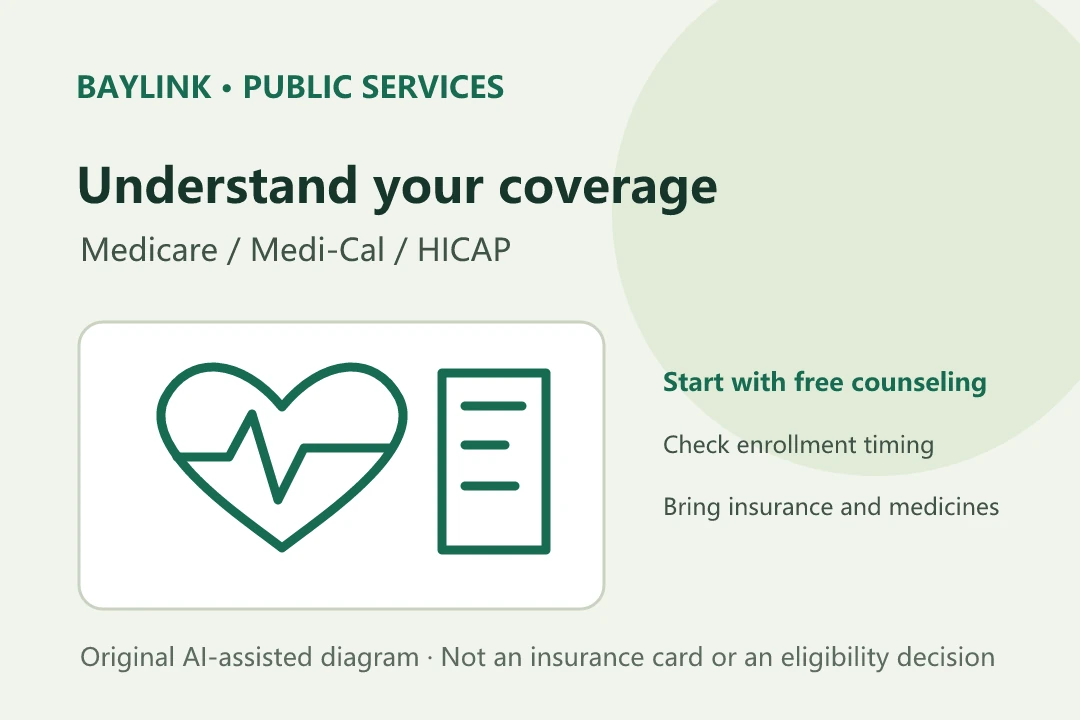
Find free enrollment help by area and language through Covered California. Explain your current coverage and move so a counselor can check options, effective dates, and documents. Separately, ask nearby HRSA-listed health centers about new-patient registration, payment, and assessed financial assistance. A listing does not mean care is free or establish eligibility.
Choose reachable locations, then confirm scheduling, documents, language, and charges. Ask the center about new-patient registration if availability is not shown online.
Costs: separate estimates, EOBs, and provider bills
Ask how copays, deductibles, and coinsurance apply, including separate tests or imaging. If uninsured or not using insurance, ask the provider about a written Good Faith Estimate for the planned services. There is no universal visit price, and an estimate is not a final bill.
Check the name, service date, items, and plan processing on the EOB. CMS explains that an EOB is not a bill. Compare it with the provider invoice and ask about corrections, pending insurance submissions, and follow-up dates. Keep both records rather than relying on a screenshot of the total.
When network, authorization, or billing problems remain
File a grievance with the plan and keep its response. DMHC generally requires the plan process first; follow its instructions if unresolved after 30 days or if dissatisfied with the response. Urgent health issues have immediate-help options. DMHC checks jurisdiction and redirects other plans. Use formal authorization for assistance rather than sharing a portal password.
Check the process and evidence list. The Help Center is listed at 1-888-466-2219; verify the official contact details.
Save a care-connection card
Sample template: replace the text in brackets, review it, then send.
Plan and network: [full names]
Practice/provider: [name and official phone]
Appointment: [date, location/video entry, arrival instructions]
Pending: [PCP assignment/referral/authorization/records/interpreter]
Cost check: [contact and date]
Results and follow-up: [entry point and contact]
Backup contacts: [plan advice line/member services]
Keep private; do not publish identity or member numbers.
Official resources and service links
Check the original sources for your circumstances. Admission prices, hours, rules, and services may change.
- DMHC: choosing a primary care provider and preparing for a visit(opens in a new tab)
Explains PCPs, medical groups, new-patient availability, language support, and visit preparation.
- DMHC: timely access to care(opens in a new tab)
Appointment standards, exceptions, and help when timely care is unavailable.
- DMHC: plan grievances and the Help Center(opens in a new tab)
Jurisdiction, plan grievance requirements, urgent exceptions, and authorization for assistance.
- CMS: health insurance and medical billing terms(opens in a new tab)
Distinguishes EOBs, copays, deductibles, in-network services, and self-pay estimates.
- UCSF Health: official primary care entry point(opens in a new tab)
Find a location or provider and request care; a listing does not establish current new-patient availability.
- Santa Clara Valley Medical Center: official phone directory(opens in a new tab)
Separate contacts for appointments, billing, customer service, and financial assistance.
- Covered California: find enrollment help(opens in a new tab)
Find free enrollment or plan-selection help by area and language; eligibility requires an individual review.
- HRSA: find a health center(opens in a new tab)
Locate community health centers by city or ZIP code, then confirm appointments and payment arrangements.
Official entry points checked October 2, 2026. This guide covers scheduling, records, and insurance checks. It does not assess symptoms, recommend treatment, or determine coverage or assistance eligibility. Confirm availability, charges, network participation, and authorization with the clinic and plan for the specific service.